Google Calendar Desktop
 Updated: February 28th, 2021
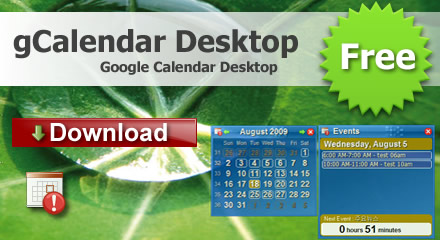
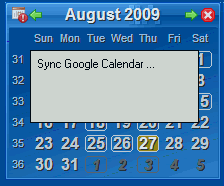
gCalendar Desktop is a google calendar client and events reminder that lives embedded on your desktop, it completely integrates with google calendar, displays all Google Calendar events in the desktop and system tray. it will the alert message notifying you when the time for next event occurs.
It is only free Google calendar desktop on the market, others calendars software you must pay for google calendar supported.
 Show Google Calendar on desktop
Support multiple calendars and Next Meeting
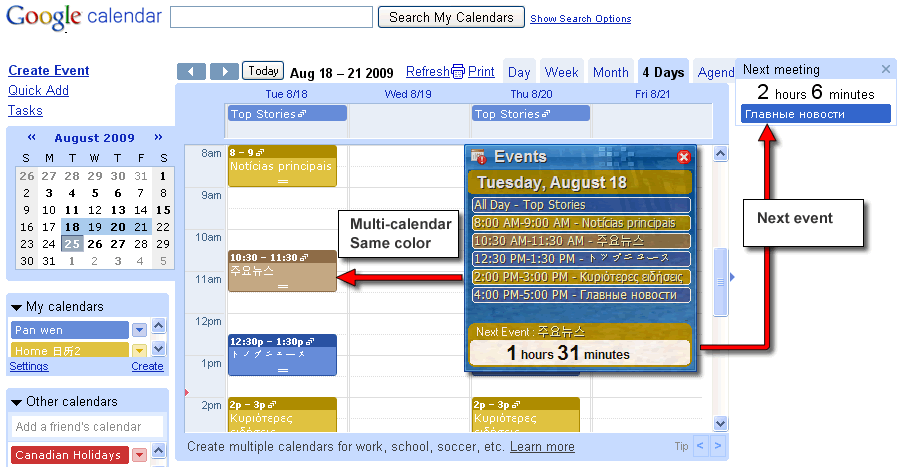
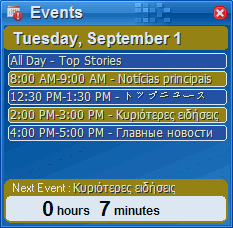
Never forget another event, remind Next Meeting on event window
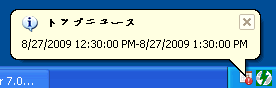
Remind coming event on system tray icon
Sync with Google Calendar automatically
Lithium-ion (Li-ion) Batteries
Lithium-ion batteries are the newest technology batteries and offer several advantages over NiMH and NiCd batteries. Lithium-ion batteries are preferred for their lighter weight and higher performance. Lithium-ion batteries are typically 20-35% lighter and will provide 10-20% better performance than a NiMH battery of equivalent mAh rating.
Lithium-ion batteries are also unique in that they are not susceptible to the “memory effect”. A new Lithium-ion battery will benefit from an initial “conditioning” of the battery. For the first 3 charge cycles, fully charge the battery overnight before recharging. Once conditioned, Lithium-ion batteries will perform best when charged at a rate somewhere between a conventional slow charge and a rapid charge. When rapid charging, Lithium-ion batteries require a charger designed to charge Lithium batteries.
To achieve a true full charge when rapid charging, the battery needs to be slow charged the last 10-15% of its charge cycle. Most “intelligent” desktop and Lithium-battery rapid chargers provide this capability. A Lithium-ion battery may be damaged by extensive overcharging (continuously on a charger for more than 24 hours).
No cateBattery Memory Effect
“Memory Effect” is a condition of reduced battery performance (and eventual failure) due to a battery only using those cells that are fully discharged and charged on a regular basis. In other words, if on a regular basis a NiCd or NiMH battery is only partially discharged before being recharged, it ” forgets” that it has usable capacity to further discharge all the way down. The result is degraded battery performance and shorter battery life because the battery is using less than it’s true full capacity.
Li-ion batteries do not develop the “memory effect”. NiMH batteries, while considerably better than their NiCd counterparts, are prone to developing “memory effect.” However, proper care and conditioning over the life of a NiMH battery will significantly reduce the potential negative impacts.
No cate