Protect Laptop Battery
 Updated: September 14th, 2010

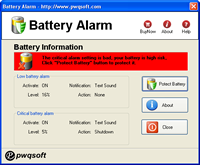
Battery Alarm is battery protection solution for windows laptop, it is designed to protect laptop battery from deep-discharge, the laptop battery may last for 3 years or more after using this software.
the windows default power alarm setting is not good, it may cause battery deep-discharge, the battery can be permantently damage and lifetime greatly reduced. Battery Alarm change windows power management scheme to prevent battery been discharged deeply.
Everybody can use this software to protect your laptop battery now !
 |
 |
Key feature
- One-Click to protect battery.
- Protect battery which will be able to use for 3 years or more.
- No extra hardware needed.
- Support Windows2000/2003/XP/Vista/2008/7.
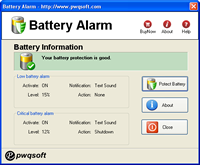
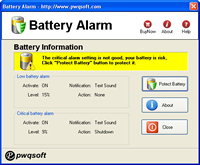
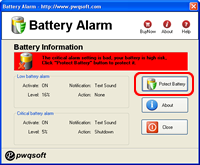
Screenshots
 |
|
 |
 |

How To Extend Your Laptop’s Battery Life
To extend your laptop battery, you need to protect your battery from discharge and overcharge, you should change laptop battery as soon as possible, the MS Windows battery setting is not perfect, it may hurt your battery, so it is neccessory to change Power management scheme to protect battery.
do not let a Li-On battery completely discharge. (Discharing is only for older batteries with memory effects)
No cateShould I Remove the Laptop Battery For A Desktop Replacement Laptop?
Question: Should I Remove the Laptop Battery For A Desktop Replacement Laptop?
I have a laptop at home which I use as a desktop replacement. As such, 99% of the time the laptop is being used it is plugged in. I wonder if I should remove the battery so that it is not permanently being charged, or does the laptop cut off the current to the battery once it is fully charged? I do unplug the laptop when I turn it off.
Answer:
No, you don’t need to care about battery when using a laptop as a desktop replacement, the laptop don’t charge battery all the time, the battery only be charge in the condition when battery level is lower than 95% (or other level).
It is out of date that some articles said ” Remove the battery – making sure that it is charged to 40% and store it in a dry, warm place. Ensure that it is wrapped protectively and nothing will be dropped on it “.
No cate